**GTA 6 supports French text on PS5 in Canada, including Québec. The characters speak English.** To read the dialogue in French, select French in the game settings and turn subtitles on. PlayStation Canada’s language table confirms French text support.
French language support on PS5 in Canada
| Feature | Availability on PS5 in Canada |
|---|---|
| Menus and in-game text | French available |
| Dialogue subtitles | French available with French selected and subtitles enabled |
| Character voices | English |
| Separate Canadian French option | PlayStation Canada lists the language as French |
How to set GTA 6 to French on PS5
Start with the settings inside GTA VI. Rockstar describes the UI tab and its settings. The menu steps below follow a recorded PS5 walkthrough.
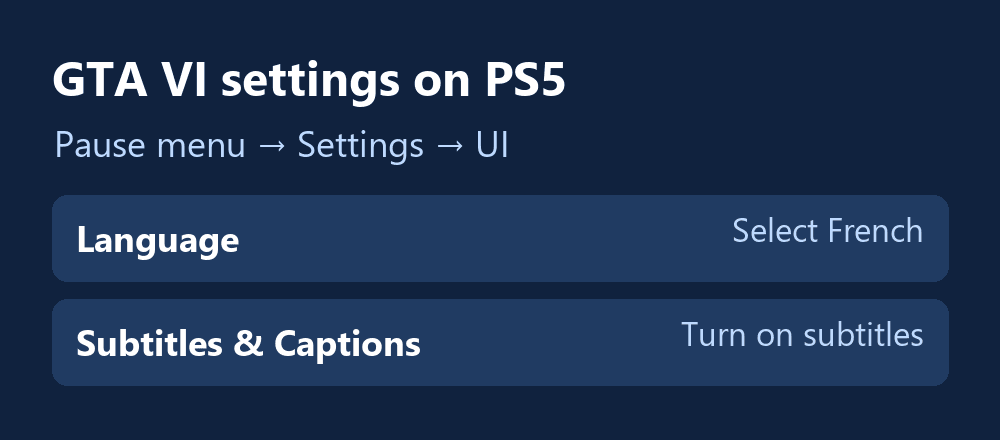
- Press **Options** to pause the game and open **Settings**.
- Use **L1** and **R1** to find the **UI** tab. In English, it’s the fifth tab.
- Under **Scaling & Readability**, open **Language** and select French.
- In the same tab, open **Subtitles & Captions** and turn subtitles on.
Fix missing or hard-to-read subtitles
If the menus are French and the dialogue is still spoken in English, check whether French text appears during a conversation. If no lines appear, return to **Subtitles & Captions** and check that subtitles are enabled.
If you’re playing from across the room, increase the subtitle size. You can add a background to make the text easier to read in bright scenes and show speaker names to follow conversations with several characters. Rockstar lists these accessibility options.
What to check before buying in Canada
Check the text and voice language listings separately on the Canadian PlayStation Store. If you buy an imported copy, check the listing for its original market. For release details and edition differences, see our GTA 6 launch guide.